TL;DR
A signed SAQ PDF is not automatically an accepted SAQ PDF. If the questionnaire doesn’t match how you take cards, the bank/acquirer (or whoever chases PCI on their behalf) can bounce it — neat checkboxes and all. Figure out the right SAQ first (Which SAQ Am I?), then complete and sign that one. For the A vs A-EP grey zone, don’t reinvent it here — use SAQ A vs SAQ A-EP.
I’ve watched this play out too many times.
Merchant gets the email. Please provide your current SAQ / AOC. Someone Googles “SAQ A”, downloads a PDF that looks official, spends an evening ticking boxes, signs it, hits send.
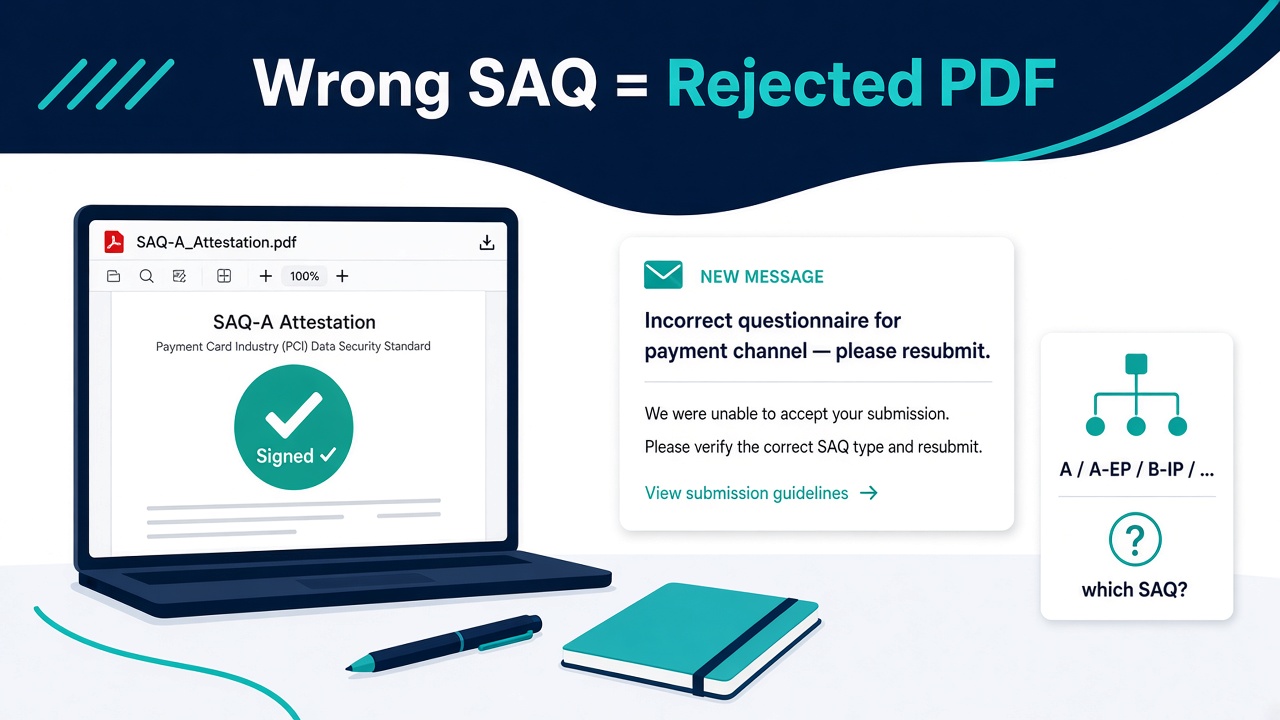
Two days later: Please resubmit — incorrect questionnaire for your payment channel.
The PDF was finished. It was signed. It was still the wrong artefact.
Signed ≠ accepted
What the acquirer is filing is not “proof you opened a compliance tool.” It’s a validation artefact that has to fit the payment setup they already know you run.
That usually means:
- The right SAQ type for how customers pay you (A, A-EP, B / B-IP, C / C-VT, D, …)
- Against PCI DSS v4.0.1 (not a stale v3 template from a random blog)
- With the Attestation of Compliance completed and signed by someone with authority
- Dated, and not obviously describing a checkout you don’t have
Filling the wrong form carefully is still filling the wrong form. I wrote the longer version of what banks actually want in What Your Acquirer Actually Wants — this post is about the fork before you open the wizard: which questionnaire are you even eligible for?
Quick map (without turning this into a textbook)
Full walkthrough of all ten types: PCI DSS v4.0.1 SAQ Types Explained. Here’s the practical map most founders hit:
| Path | Plain-English fit | Rough size |
|---|---|---|
| SAQ A | Card-not-present (e-commerce or mail/telephone order); payment fully outsourced (redirect or true TPSP iframe / hosted fields); you never electronically store/process/transmit account data | One of the shortest merchant SAQs — about 27 requirement line items (leaf requirement IDs) on SAQ A r1 (Jan 2025) for typical redirect/iframe e-commerce; SSC guidance also lists 14* when the merchant has no access to their own webpage |
| SAQ A-EP | E-commerce still outsources processing, but your site can affect payment security (custom checkout JS, Direct Post, merchant-controlled payment UI) | Much larger — order of magnitude more than A (don’t treat a blog number as gospel; use the official A-EP PDF) |
| SAQ B / B-IP | Standalone terminals — dial-up / imprint (B) vs IP-connected PTS POI (B-IP); no e-commerce | Short-to-medium; B-IP is heavier because the terminal is on a network |
| SAQ C / C-VT | Payment app on the internet (C) or isolated web virtual terminal keyed one-by-one (C-VT) | Medium |
| SAQ P2PE / SPoC | Validated P2PE solution, or validated SPoC on COTS + SCRP | Short when you truly qualify |
| SAQ D (Merchant) | Catch-all when you don’t fit a narrower SAQ — or you store CHD electronically | Full merchant requirement set |
| SAQ D (Service Provider) | You’re a service provider eligible to self-assess | Not a merchant “short cut” |
| ROC / Level 1 | Not an SAQ path. Large merchants required to validate with a Report on Compliance do not “just download SAQ A and self-attest.” Confirm level with your acquirer / brand program. | ROC by a QSA (or a qualified internal auditor, where the card brand permits) |
* Per PCI SSC SAQ Instructions and Guidelines v4.0.1 r1 — applicable counts depend on e-commerce method; notes in SAQ A identify which line items apply.
Grey zone you should not resolve from vibes: A vs A-EP. If your own HTML/JS sits in the payment path, you’re probably not on SAQ A. If you embed a TPSP iframe and can’t confirm scripts on your page can’t affect it, you don’t meet SAQ A eligibility either. Deep dive (eligibility, iframe vs Elements vs Direct Post vs API, Jan 2025 script eligibility language): SAQ A vs SAQ A-EP. I’m not re-litigating that split here on purpose.
The questions that flip you out of SAQ A
Use these as a pre-flight. Your acquirer’s named SAQ still wins over a blog post including this one.
- Do your systems ever see full PAN?
Database, logs, your server, your API, phone systems your business controls or call recordings — if account data touches you electronically, you’re past SAQ A (and usually past A-EP too). Look at a broader SAQ with the bank. - Where do customers type card details?
- Leave your domain entirely (Stripe Checkout / PayPal / similar redirect) often SAQ A if all other A eligibility holds.
- True TPSP iframe / hosted fields (provider owns the inputs) often SAQ A, same caveat.
- Your page owns the fields or the submit path (Direct Post, merchant JS that builds, wraps or modifies the payment fields) → lean A-EP.
- Your server receives PAN and forwards via API → neither A nor A-EP. - Embedded iframe: can you confirm your page’s scripts can’t attack the payment form?
Since the January 2025 SAQ A revision, merchants embedding a TPSP payment form must confirm their site isn’t susceptible to script attacks that could affect it (PCI SSC FAQ 1588). You meet that with your own script controls or with your provider’s confirmation that its solution covers it. Can’t confirm either way → A-EP (or fix the architecture, then reassess). Full redirects are not subject to this criterion. Optimism is not an eligibility criterion. - Are you face-to-face with a terminal?
SAQ A is card-not-present. Terminals point at B / B-IP / C / P2PE / SPoC / D — not A. - Has the acquirer already told you the SAQ?
Stop debating Reddit. Do that one — or push back with your integration diagram if their template doesn’t match reality. - Are you Level 1?
Then you’re not shopping SAQs for a self-signed PDF. You’re in ROC territory (QSA, or a qualified internal auditor where the brand permits) unless your program explicitly says otherwise.
Still fuzzy after that list? That’s what Which SAQ Am I? is for — a few questions, a recommended questionnaire, then confirm with the bank before you attest.
Why people still ship the wrong PDF
“We use Stripe / Adyen / Shopify Payments, so we’re SAQ A.”
Processor brand SAQ type. Integration pattern does.
“We only handle tokens.”
Tokens reduce what you store. They don’t erase a merchant page that still saw card fields.
“The PDF looked official and we signed it.”
Signature proves someone attested. It does not prove eligibility.
“A-EP looked scary so we filed A.”
Under-scoping is the expensive mistake. Over-scoping is mostly extra work. Acquirers care that the attestation matches reality.
“We’ll change the checkout later and attest as A now.”
The attestation is a dated statement about today’s payment setup.
Don’t invent requirement counts
You’ll see different numbers online for “how long is SAQ A?” — including on our own pages if something drifts. Treat the official PCI DSS v4.0.1 SAQ A PDF (Revision 1, January 2025) and the SAQ Instructions and Guidelines as source of truth.
Practical shorthand I use in conversation:
- Typical outsourced redirect / iframe SAQ A path → about 27 requirement line items (leaf requirement IDs) on r1
- Fully outsourced with no merchant access to the webpage → SSC table shows 14*
- A-EP much larger; don’t fake a precise count from memory
If a tool or quiz shows a different approximate number, prefer the official questionnaire your acquirer expects — not a marketing round-number.
Finish the right artefact (soft path)
Once you know which SAQ fits:
- Confirm with your acquirer if they’ve named one.
- Walk that questionnaire honestly (eligibility first, then requirements).
- Sign and date the AOC.
- Send the package they asked for — not a dashboard screenshot.
On pcidss-dashboard.com the flow is deliberate: Which SAQ Am I? free wizard in plain English → pay only when you download the acquirer-ready signed SAQ PDF (SAQ A and B-IP reports €99; SAQ A-EP €699; Enterprise Dashboard exists for broader / multi-client work).
That is not “buy software so you feel compliant.” It’s produce the artefact the acquirer files. Using the tool does not make you compliant by magic — you still have to answer honestly and meet what you attest to. Level 1 usually means a ROC rather than a self-signed SAQ cosplay, but the rule is set per card brand, so check with your acquirer.
If the rejection email already landed and you’re staring at the wrong PDF, write sales@pcidss-dashboard.com. Happier to sort the questionnaire early than watch another merchant invent a Word doc at midnight.